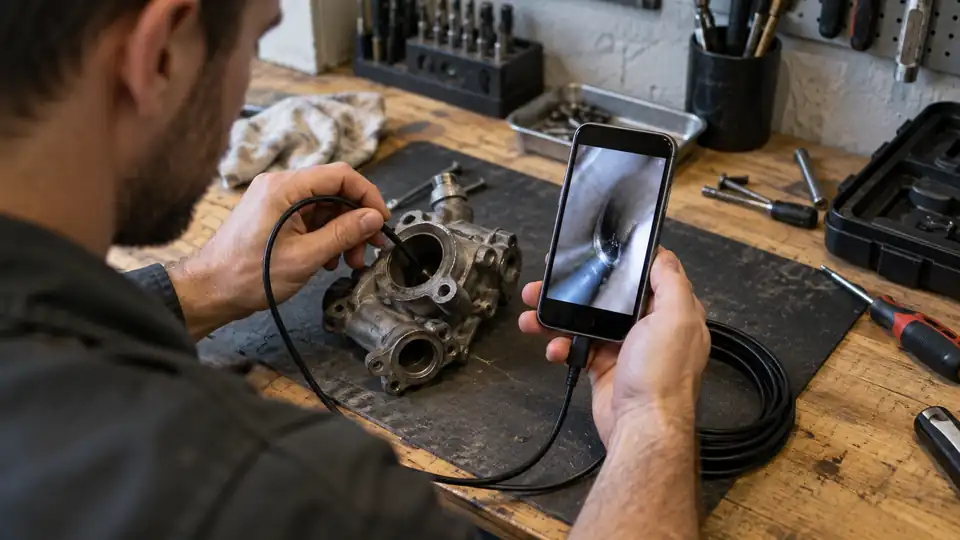
A borescope for an iPhone can turn a dark engine bay, wall cavity, drain, or appliance panel into a live view on the screen already in your hand. The catch is that a Lightning or USB-C connector alone does not guarantee a smooth setup. App support, iOS requirements, probe size, cable control, lighting, and the difference between a fixed camera and an articulating tip all shape the experience.
Many buyers focus on the largest resolution number and overlook the physical side of inspection. A 7.9 mm probe may be fine for a drain or engine compartment, while a 5.5 mm camera can reach tighter openings. A dual-lens model can show forward and side views, but it does not steer itself around a corner. An articulating borescope offers directional control, yet its shorter probe may be less useful for long pipe runs. The right choice depends on whether you value reach, narrow access, phone simplicity, viewing direction, or active control.
The products below compare wired and wireless phone connections, Lightning and USB-C support, dual-lens viewing, articulating probes, integrated screens, cable length, and documented water protection. Each option serves a slightly different inspection task, so the comparison starts with a quick answer before moving into the details.
Quick Answer
- Best Overall: DEPSTECH 2K Endoscope Camera with Light combines documented iPhone support, front and side cameras, app-based photo and video capture, a 16.5-foot semi-rigid cable, and adjustable lighting.
- Best for Tight Access: Klein Tools ET21 WiFi Borescope uses a 5.5 mm camera and wireless phone viewing, which can help where a larger probe or tethered phone would get in the way.
- Best for Controlled Tip Direction: Teslong USB-C Two-Way Articulating Borescope has a joystick-controlled 180-degree articulating probe for iPhone 15 and newer USB-C devices.
- Best Phone-Free Option: Teslong Articulating Borescope includes a 4.5-inch IPS display, so the inspection does not depend on an iPhone app or connector.
Best Borescope for iPhone Comparison Table
| Product | Best For | Connection or Display | Probe and Reach | Viewing System |
|---|---|---|---|---|
| DEPSTECH 2K Endoscope Camera | Overall phone-based inspection | Lightning and USB-C, app | 7.9 mm, 16.5 ft | Front and side cameras |
| Klein Tools ET21 WiFi Borescope | Tight openings and wireless viewing | Wi-Fi, iOS and Android app | 5.5 mm, 5 ft | Single camera |
| Teslong USB-C Two-Way Articulating Borescope | USB-C iPhones and controlled steering | USB-C, app | 5 ft semi-rigid gooseneck | 180-degree articulation |
| Teslong Articulating Borescope | Phone-free articulating inspection | 4.5-inch IPS screen | 5 ft semi-rigid gooseneck | Two-way articulation |
| BAZO Endoscope Camera | Long-reach phone inspection | Lightning and Micro-USB adapters, app | 6.9 mm, 18.04 ft | Single camera |
| Kinpthy Endoscope Camera | General iPhone and Android use | Lightning, USB-C, Android connector | 7.9 mm, 16.4 ft | Single camera |
| Elecshion Dual-Lens Endoscope | Forward and alternate views | Type-C phone connection | 8 mm, 16.5 ft | Dual lens |
| 1920P Type-C Endoscope Camera | Long cable and broad listed support | Type-C, Lightning and Micro-USB adapter | 7.9 mm, 16.5 ft | Single camera |
| Ralcam Two-Way Articulating Borescope | Steerable phone-based inspection | USB cable, iPhone and Android app | Articulating probe, length not stated | 180-degree articulation |
The detailed reviews explain how each camera handles phone compatibility, access, lighting, viewing direction, and real inspection trade-offs.
1. DEPSTECH 2K Endoscope Camera with Light — Best Overall

The DEPSTECH NTC55 makes the strongest all-purpose case for iPhone inspection because it addresses several problems at once. The product information lists both a Lightning adapter and a Type-C connector, with support for iOS 11.0 and newer, plus an app for viewing, photos, video, 2x zoom, and 90-degree image rotation. That gives an iPhone user more than a basic live feed. A homeowner checking a wall cavity and a vehicle owner looking around an engine bay can save inspection images for later reference.
Its real distinction is the dual-camera arrangement. The 7.9 mm probe carries front and side cameras, allowing the user to switch views rather than repeatedly withdrawing and repositioning the cable. That is useful beside a pipe wall or around a machine component, although it should not be confused with active steering. The 16.5-foot semi-rigid cable offers reach, while 8+1 adjustable LEDs help in dark spaces. IP67 protection is listed for the camera, but the phone, connector, and control arrangement still need ordinary care around water.
Pros
- Supports listed iOS 11.0 and newer devices with a Lightning adapter.
- Front and side cameras provide two viewing directions from the probe.
- Includes a 16.5-foot semi-rigid cable for extended reach.
- App supports photo capture, video capture, 2x zoom, and image rotation.
- Offers adjustable lighting and a listed IP67 camera rating.
Cons
- A 7.9 mm probe may not fit the smallest inspection openings.
- The app is required, and Android devices need OTG support where applicable.
This is the most balanced choice for someone who wants one phone-connected camera for automotive, plumbing, HVAC, and home inspection tasks. The side camera adds useful coverage without requiring a mechanically articulating probe, while the long cable is helpful for deeper access. Buyers who need a very small camera head or genuine tip steering should look at the Klein or Teslong articulating models instead.
To buy this product, click here.
2. Klein Tools ET21 WiFi Borescope — Best for Tight Access

A 5.5 mm camera can change which openings are reachable, and that is the central reason to look at the Klein Tools ET21. Its listed camera is narrower than the 7.9 mm probes used by many of the wired options here. Behind an appliance, through a modest access opening, or around compact machinery, that difference can matter more than a headline resolution figure.
The ET21 sends video and images to a smartphone over Wi-Fi, with a listed range of up to 30 feet. The wireless arrangement keeps the phone physically away from the inspection point, which can be handy when the camera is near a damp pipe or a dusty work area. The five-foot high-flex snake is shorter than the long-reach options, so it fits close inspection jobs better than deep sewer-style runs. Adjustable LEDs and an IP67-rated camera are listed, while the phone and wireless unit should still be kept outside wet areas.
Pros
- Uses a compact 5.5 mm camera for narrower access points.
- Wireless transmission keeps the iPhone separate from the probe.
- Listed range reaches up to 30 feet between camera and smartphone.
- Includes adjustable LED lighting for dark inspection areas.
- Works through a listed iOS and Android app with image saving and sharing.
Cons
- The five-foot camera length is shorter than the long-reach wired models.
- Wi-Fi operation adds a connection step compared with a direct plug-in camera.
The ET21 suits close-up work where probe diameter and phone placement are the main concerns. It is less compelling for long pipes or cavities that demand 16 feet of cable, but its smaller camera can reach spaces that larger probes cannot. Choose it for compact access and wireless convenience, not for maximum cable reach or dual-angle viewing.
To buy this product, click here.
3. Teslong USB-C Two-Way Articulating Borescope — Best for Controlled Tip Direction

Fixed snake cameras ask you to steer by bending the cable from outside the opening. This Teslong takes a different approach with a joystick-controlled probe that articulates through 180 degrees. Inside an engine bay, HVAC duct, or wall cavity, that active tip control can help aim the camera after insertion rather than relying on repeated cable repositioning.
The product is aimed at iPhone 15 and newer models through USB-C, along with Android devices using USB-C. That is a meaningful compatibility boundary. It is a strong fit for a USB-C iPhone, but it should not be treated as a Lightning-compatible choice without confirmation. The five-foot semi-rigid gooseneck is manageable for close work, and the 1.0MP camera, 1080P capture, eight adjustable LEDs, and three brightness levels cover ordinary inspection documentation. The app handles photo and video capture without an account or subscription according to the listing.
Pros
- Joystick provides documented 180-degree two-way tip articulation.
- Works with iPhone 15 and newer through the listed USB-C connection.
- One-hand controls place the joystick and photo button under the thumb.
- Captures listed 1080P photos and video through the app.
- Five-foot semi-rigid gooseneck holds its shape during close inspections.
Cons
- USB-C compatibility excludes older Lightning iPhones unless another configuration is confirmed.
- The five-foot probe is less suited to deep pipe or cavity inspection.
This is the right direction for a USB-C iPhone owner who values steering more than long reach or maximum listed resolution. The articulating tip can make a visible difference around corners, yet the shorter cable limits how far the camera can travel. It also requires the phone app, so buyers wanting a self-contained display should choose the screen-equipped Teslong.
To buy this product, click here.
4. Teslong Articulating Borescope — Best With an Integrated Screen

Phone compatibility disappears from the workflow with this Teslong because the system includes a 4.5-inch IPS color display. That can be useful when an inspection happens in a dusty garage, beneath a sink, or beside equipment where placing an iPhone is inconvenient. The screen also means the tool is ready without downloading an app or checking whether a connector matches the phone.
Its two-way articulating probe uses a central joystick and a five-foot semi-rigid gooseneck. This combination suits nearby targets where the operator needs to aim around an obstruction, such as behind a wall surface or inside an engine compartment. Adjustable probe lighting helps in dark areas, and the listing identifies a photo button for capturing images or video. The available information does not clearly state the camera resolution, storage method, or whether the system depends on a phone for sharing files, so buyers should confirm those details if documentation is a priority.
Pros
- Includes a 4.5-inch IPS color screen for phone-free viewing.
- Two-way articulation provides active directional control.
- Central joystick supports one-handed operation with either hand.
- Five-foot semi-rigid gooseneck helps hold the chosen approach angle.
- Adjustable probe LEDs support work in dark confined areas.
Cons
- The five-foot probe offers less reach than the 16.5-foot phone cameras.
- Recording and storage details are not clearly specified in the available information.
This model makes sense for buyers who want active steering without turning an iPhone into part of the inspection rig. It is especially appealing for repeated close work, where a dedicated screen is quicker to pick up than a phone app. Skip it if deep cable reach or documented iPhone image sharing matters more than self-contained operation.
To buy this product, click here.
5. BAZO Endoscope Camera — Best for Long Reach

The BAZO stands out through its 18.04-foot semi-rigid cable, the longest listed reach among the primary phone-connected options in this group. That extra length can help with pipes, duct paths, wall cavities, or an engine area where the access point is farther from the operator. A semi-rigid cable gives some shape control, though it remains a bendable cable rather than an actively articulating probe.
The 6.9 mm probe is also slimmer than the 7.9 mm cameras used by several alternatives. It still may not enter every narrow opening, but the combination of smaller diameter and long reach gives the BAZO a practical role for extended inspections. The listing supports iOS 9.0 and newer and identifies an iPhone adapter, along with the UseePlus app. It also lists eight adjustable LEDs and IP67 protection for the camera, while no Wi-Fi or separate camera charging is required.
Pros
- Provides an 18.04-foot semi-rigid cable for extended inspection reach.
- Uses a listed 6.9 mm probe for access to tighter spaces than larger cameras.
- Supports iOS 9.0 and newer according to the product information.
- Includes adjustable lighting and a listed IP67 camera rating.
- Comes with a magnet, hook, mirror, mounts, and protective cap.
Cons
- The long cable can be harder to manage in short, close-up inspections.
- The single-camera design does not provide a second viewing direction.
Choose the BAZO when distance and cable reach matter more than active steering. It is a practical match for a long cavity or pipe route, while the 6.9 mm probe helps preserve access. Buyers primarily inspecting small openings or needing side views should look toward the Klein or dual-lens DEPSTECH instead.
To buy this product, click here.
6. Kinpthy Endoscope Camera — Best for Broad Connector Support
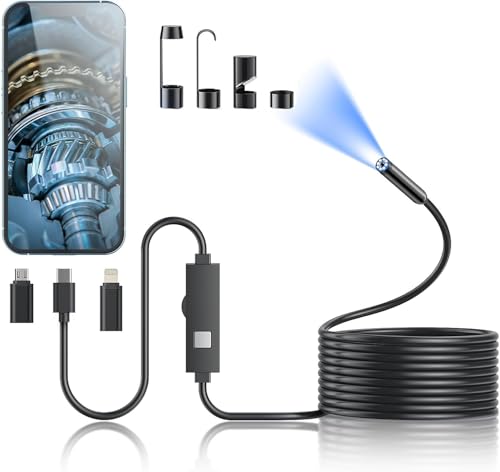
The Kinpthy is built around a familiar phone-connected format: a 7.9 mm single camera, a 16.4-foot semi-rigid cable, adjustable lighting, and adapters for Lightning, Type-C, and Android connections. That spread is useful in a household where several phones or tablets may be used for inspection. The listing identifies the SUP-ANESOK app and support for iOS 9.0 and newer, so an iPhone owner has a documented starting point rather than relying on a connector alone.
For a car, pipe, wall, or appliance inspection, the cable length gives enough reach for many ordinary tasks. Its semi-rigid construction can hold a broad curve, but the camera cannot actively aim itself around a corner. The product information lists 1920×1440 image and video capture, eight adjustable LEDs, and an IP67 probe with a stated underwater limit of up to 3.28 feet for one hour. That limit applies to the camera conditions described, not to the iPhone or every part of the connected system.
Pros
- Includes Lightning, Type-C, and Android connectors.
- Lists iOS 9.0 and newer support for phone-based operation.
- Offers a 16.4-foot semi-rigid cable for general inspection reach.
- Includes adjustable LEDs and listed 1920×1440 photo and video capture.
- Package includes a magnet, hook, mirror, and protective cap.
Cons
- The 7.9 mm single-lens probe lacks active articulation and a second camera.
- The SUP-ANESOK app is required for viewing.
This is a sensible general-purpose pick for an iPhone household that also wants broad connector coverage. It has the reach and accessories for routine maintenance without adding wireless setup, but it does not solve difficult viewing angles as elegantly as an articulating or dual-lens camera. Confirm the current app and phone requirements before ordering.
To buy this product, click here.
7. Elecshion Dual-Lens Endoscope Camera — Best for Alternate Viewing

Two cameras can reduce the awkward shuffle of pulling a probe back, twisting it, and sending it in again. This Elecshion model lists dual-lens viewing with 2-megapixel cameras, an 8 mm probe, and a 1.2 to 4 inch optimal viewing range. That arrangement is useful beside a pipe wall or around a component where the forward view misses the detail of interest.
The 16.5-foot semi-rigid cable offers substantial reach, while 8+1 adjustable LEDs help illuminate dark spaces. The listing identifies compatibility with iPhone, iPad, and Android devices through a Type-C configuration, though buyers should verify the exact connector arrangement for their particular iPhone. It also lists 1920×1440 capture and IP67 protection, with an underwater limit described as up to 3.28 feet for one hour. The probe is specifically described as not heat-resistant, so engine work should begin only after the engine has fully cooled.
Pros
- Uses a genuine dual-lens camera arrangement for alternate views.
- Provides a 16.5-foot semi-rigid cable for deep access.
- Lists 8+1 adjustable LEDs for low-light inspection.
- Supports listed 1920×1440 photo and video capture.
- Includes retrieval accessories and a protective cap.
Cons
- The 8 mm probe is relatively large for very narrow openings.
- The listing warns that the probe is not heat-resistant.
This camera is a good fit for users who frequently need forward and side information but do not need active tip steering. It can save time around pipes, engines, and wall cavities, provided the access point accepts an 8 mm probe. It is less suitable for hot machinery or the tightest openings, and the phone connection should be checked carefully before purchase.
To buy this product, click here.
8. 1920P Type-C Endoscope Camera — Best for Long Cable Phone Inspection

This single-lens inspection camera focuses on broad everyday coverage. The listing gives it a 7.9 mm probe, a 16.5-foot semi-rigid cable, eight adjustable LEDs, and 1920×1440 image and video capture. That combination suits a drain, engine compartment, wall cavity, or appliance where the camera needs to travel farther than a short gooseneck can manage.
Phone compatibility is described across iPhone, Android, and some older connection types, but the details matter. The listing identifies iOS 9 or newer, an iPhone and Micro-USB adapter, and Android requirements for OTG and USB UVC. It also directs Android users to check OTG support before buying. The Useeplus app is required for viewing, and the listing says the camera is not suitable for a computer. IP67 protection is listed for the probe, with adjustable lighting for damp or dark areas.
Pros
- Offers a 16.5-foot semi-rigid cable for extended reach.
- Lists iPhone support from iOS 9 and newer.
- Includes eight adjustable LEDs for dark inspection locations.
- Provides listed 1920×1440 photo and video capture.
- Includes iPhone and Micro-USB adapter options plus retrieval accessories.
Cons
- Android use requires OTG and USB UVC support.
- The single camera does not provide side viewing or active articulation.
This model fits an iPhone user who wants a long, straightforward cable for occasional home or vehicle inspection. Its compatibility information is more useful than a vague universal-phone claim, but buyers should still match the adapter and app to the exact device. For active directional control, the Teslong articulating options are better suited.
To buy this product, click here.
9. Ralcam Two-Way Articulating Borescope — Best for Steerable Phone Inspection

The Ralcam earns its place through a genuine two-way steering lens rather than a cable that merely bends. The listing describes 180-degree movement in two directions, allowing the probe to enter a tight space and then redirect the camera toward a wall, component, or nearby surface. That can be useful during vehicle, plumbing, HVAC, and household inspection work where the access opening is easy but the target is off-axis.
It connects to iPhone and Android devices through a USB cable and requires an app for operation. The forward-facing camera records listed 1920×1080 video and still images, while six ring LEDs provide adjustable illumination. The probe is listed as IP67, but the host is not waterproof, so the phone and control unit should stay clear of wet areas. The listing also describes temperature protection that shuts the system down above 90 degrees, which makes it important to work only within the stated conditions and avoid hot machinery.
Pros
- Provides documented two-way 180-degree lens steering.
- Supports iPhone and Android app-based operation.
- Lists 1920×1080 photo and video capture.
- Uses six adjustable ring LEDs around the forward camera.
- Includes a temperature protection feature described in the listing.
Cons
- The host unit is not waterproof even though the probe is listed as IP67.
- The available information does not clearly state the probe length or diameter.
Choose the Ralcam when steerability is more important than a long cable or dual-camera coverage. Its two-way control can make an offset target easier to see, while the missing probe dimensions make it harder to judge access before ordering. Buyers working near water should be especially careful to keep the host and phone dry.
To buy this product, click here.
Buying Guide
Phone Compatibility Requires More Than the Connector
An iPhone borescope needs a compatible physical connection and a workable app. Lightning support matters for older iPhones, while USB-C models target newer devices such as the iPhone 15 generation and later. Check the listed iOS requirement, adapter type, and app before ordering. A connector that fits the port does not prove that the camera software will display a live image.
Choose Probe Diameter Around the Access Point
Probe diameter determines where the camera can physically enter. The Klein model lists a 5.5 mm camera, BAZO lists 6.9 mm, and several long-reach cameras use 7.9 or 8 mm probes. A smaller probe can help with narrow openings, but diameter alone does not establish better image quality, focus, or cable control. Measure the access point first, especially for engine or appliance work.
Dual-Lens Viewing Is Different From Articulation
A dual-lens camera adds another viewing direction, commonly forward and side viewing. It can reduce the need to withdraw and rotate the probe. An articulating model physically redirects the camera tip through a joystick or steering control. The DEPSTECH and Elecshion products offer dual-lens viewing, while the Teslong and Ralcam models offer active articulation. Neither feature should be treated as a substitute for the other.
Match Cable Length to the Inspection
A 16.4 to 18.04-foot cable gives more reach for pipes, ducts, cavities, and distant engine access points. Shorter five-foot articulating probes are easier to manage around nearby targets and can offer better control. Excess cable can bunch up during a small inspection, while a short probe may stop well before a distant area. Think about the path from your hand to the target, not only the maximum advertised length.
Decide Whether You Need a Phone or an Integrated Screen
Phone-connected cameras use the iPhone display, which is convenient for saving and sharing images when the app supports those functions. A built-in screen avoids app permissions, connector questions, and the risk of placing a phone near dirt or moisture. The Teslong screen model is the clearest example here. Confirm recording and storage details separately, because a display does not automatically mean that photos or video can be saved.
Read IP67 Claims as Component-Specific Information
An IP67 listing generally applies to the camera probe when the product information identifies the probe that way. It does not automatically protect the phone, connector, control box, or integrated display. Some listings also specify an immersion depth or duration. Stay within those stated conditions, keep connectors dry, and do not treat a consumer inspection camera as a complete waterproof system.
Resolution Numbers Need Practical Context
Labels such as 1920P, 2K, and 1080P describe supplied listing claims, but they do not guarantee better focus or visibility in a dark cavity. Lighting, working distance, lens position, app processing, and probe stability all influence what appears on the iPhone. A dual-lens or articulating system may reveal more useful information than a higher resolution camera aimed at the wrong surface.
Best Borescope for iPhone FAQ
Which borescope is the strongest overall choice for an iPhone?
The DEPSTECH NTC55 is the most balanced option in this comparison. It lists Lightning and Type-C connectivity, iOS 11.0 support, front and side cameras, a 16.5-foot cable, adjustable LEDs, and app-based photo and video capture. Its 7.9 mm probe may be too large for the narrowest openings, so measure the access point first.
Will a USB-C borescope work with every iPhone?
No. The phone must support the required camera connection and app. The Teslong USB-C articulating model specifically lists iPhone 15 and newer, while older iPhones generally use Lightning. Check the exact iPhone generation, iOS requirement, and app listing rather than relying only on the USB-C shape.
Is a dual-lens borescope better than a single-lens model?
It depends on the inspection. A dual-lens camera can show forward and side views without physically changing the probe position, which is helpful beside pipe walls or components. A single-lens articulating borescope may be more useful when you need to aim the tip around an obstruction. Dual-lens viewing adds coverage, while articulation adds directional control.
Can these iPhone borescopes inspect a hot engine?
The supplied product information does not support a general recommendation for hot-engine inspection. One Elecshion listing specifically says the probe is not heat-resistant, and the Ralcam information describes temperature protection above 90 degrees. Let machinery cool before inserting a probe unless the exact product documentation expressly supports the operating temperature and task.
Can an iPhone borescope be used in a drain?
Several models list damp or underwater use for the camera probe, including IP67-rated options. Use the probe only within the stated immersion limits, keep the iPhone and connectors dry, and clean the camera after use. A consumer borescope is useful for a localized view, but it should not be assumed to replace a dedicated professional sewer inspection system.
Do these cameras save photos and videos to the iPhone?
Many phone-connected models list photo and video capture through their apps. The DEPSTECH app lists both functions, and the Teslong USB-C model lists photo and video capture through SmartEndoscope. Check the exact app workflow before purchase. The integrated-screen Teslong model lists a photo button, but the supplied information does not clearly specify its storage or file-transfer method.
Is a longer cable always better?
No. Long cables help reach distant cavities, pipes, and duct paths, but they can be harder to guide in a short inspection. A five-foot articulating probe may offer better control around an engine component, while a 16.5-foot semi-rigid cable suits a deeper route. Match cable length to the distance and shape of the inspection path.
Final Verdict
The DEPSTECH 2K Endoscope Camera is the strongest overall choice for most iPhone-based inspection work because it combines documented phone support, front and side cameras, a long semi-rigid cable, adjustable lighting, and app-based image capture. Its dual-lens system gives useful alternate viewing without requiring a separate mirror attachment, although the 7.9 mm probe will not fit every opening.
For narrower access, the Klein Tools ET21 is the more focused choice, with a listed 5.5 mm camera and wireless phone viewing. If active steering matters more than reach, the Teslong USB-C model or Ralcam offers genuine two-way articulation. Buyers who want to avoid phone compatibility entirely should choose the screen-equipped Teslong. Before ordering, match the camera diameter to the opening, confirm the iPhone generation and app requirements, and treat water protection as a probe-specific feature rather than protection for the complete setup.
