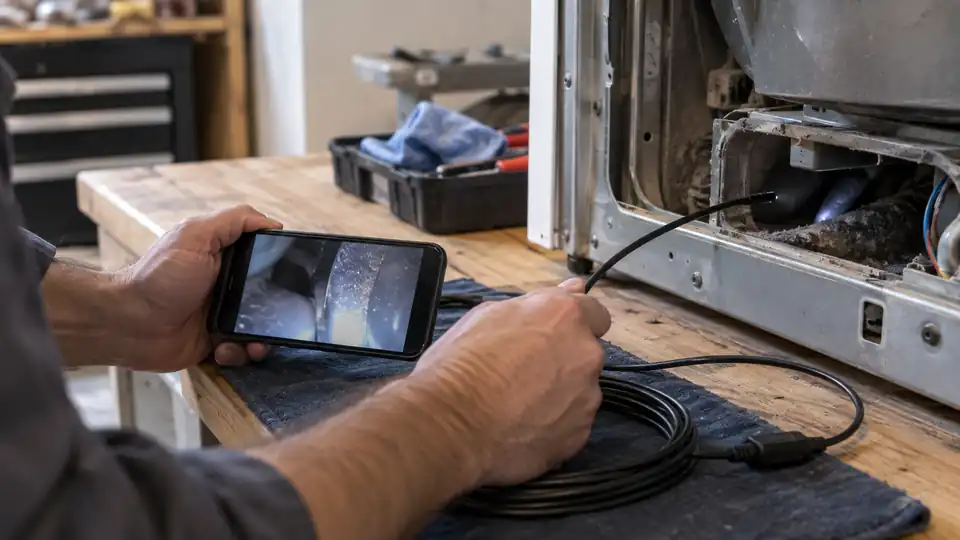
A laptop-connected borescope is useful when a normal flashlight and camera cannot reach the problem. A narrow probe can look inside a laptop chassis, ventilation path, hinge area, port opening, appliance cavity, or nearby wall space while the computer provides the viewing screen. The practical choice depends on more than the camera label. Probe diameter, cable length, lighting, connector type, operating-system support, focus distance, and the ability to save images all shape how useful the inspection will be.
A frequent buying mistake is treating every USB camera as universally compatible with every laptop. A USB-C plug may fit physically while the camera software still depends on a supported operating system or camera application. A long cable can reach farther, but it may be harder to guide inside a compact chassis. Likewise, a smaller probe helps with tight access, while a larger camera head may offer different optics or a more controlled cable. The right balance depends on whether you are checking dust and damage inside a laptop, tracing a cable route, examining an appliance, or handling a wet pipe.
This comparison focuses on inspection cameras that can connect to a laptop or PC, with attention to documented connectors, probe size, lighting, water resistance, focus characteristics, and included accessories. Some options are compact USB tools for occasional checks, while others offer more specialized viewing or recording capabilities. The quick answer below highlights the strongest fits before the detailed reviews.
Quick Answer
Best overall: MUCAR E021 USB Endoscope Borescope. Its 5.5 mm probe, laptop compatibility, 2MP sensor, 1280×720 visuals, adjustable LEDs, and included Type-C and Micro-USB cables create a balanced setup for general inspection.
Best for tight access: USB Endoscope for OTG Android Phone and Laptop, 2m. The 5.5 mm camera, three-in-one connector design, and 2 m cable suit narrow openings and longer routes, provided the laptop and software are compatible.
Best for close-up control: Vividia Mini 8mm USB Flexible Inspection Camera. Its manual focus, 0.5 cm to infinity focal range, adjustable magnification, and measurement functions make it more specialized for detailed viewing than basic plug-and-view cameras.
Best for side-view inspection: Vividia Waterproof Mini 7mm USB Inspection Camera. Its mirror attachment lets the user look sideways around corners, while the 7 mm camera head and adjustable LEDs suit general maintenance tasks.
Best Borescope for Laptop Comparison Table
| Product | Best For | Probe and Cable | Connection and Viewing |
|---|---|---|---|
| MUCAR E021 USB Endoscope Borescope | Best overall laptop inspection | 5.5 mm, 35.43-inch cable | Type-C, Micro-USB, USB, 1280×720 listing claim |
| ESC Medicams ENT-2000US-P | Rigid camera and laptop recording | Rigid probe, size not stated | USB adapter, BNC output, PC software |
| 3-in-1 Type-C USB Inspection Camera, 2m | General-purpose reach | 7 mm, 2 m | USB, Type-C, Micro-USB, 640×480 |
| USB Endoscope Inspection Camera, 1m | Short-range pipe and appliance checks | Size not clearly stated, 1 m listing configuration | USB with Micro-USB adapter, 0.3MP |
| Vividia Waterproof Mini 7mm USB Inspection Camera | Side-view inspection | 7 mm head, 77 cm flexible cable | USB 2.0, 640×480, mirror attachment |
| Vividia Mini 8mm USB Inspection Camera | Manual focus and measurement | 8 mm head, 50 cm flexible cable | USB 2.0, 640×480, manual focus |
| USB Endoscope for Laptop, 2m | Longer reach through narrow spaces | 5.5 mm, 2 m | USB, Type-C, Micro-USB, 720p listing claim |
| HGIYA 5.5mm Endoscope Inspection Camera | Broad accessory-supported inspection | 5.5 mm, length not stated | USB, Type-C, Micro-USB, adjustable LEDs |
| Perfect Part 3-in-1 Endoscope | Basic multi-connector use | Size and length not stated | USB, Type-C, Micro-USB, six LEDs |
The reviews below explain how each camera behaves as a laptop-connected inspection tool and where its particular limitations matter.
1. MUCAR E021 USB Endoscope Borescope — Best Overall

The MUCAR E021 has the most balanced specification mix for a laptop-based inspection setup. Its 5.5 mm probe can reach tighter spaces than the 7 mm and 8 mm cameras in this group, while the 35.43-inch cable is long enough for a laptop interior, appliance cavity, vehicle compartment, or short drain route. The listing identifies a 2MP sensor and 1280×720 visuals, giving it a stronger stated image specification than the 640×480 models, although resolution alone does not guarantee better focus or low-light detail.
Connection flexibility is another practical advantage. The package includes Type-C and Micro-USB cables, and the product information identifies compatibility with PCs, laptops, and MUCAR diagnostic scanners. Six adjustable LEDs help illuminate dark spaces, and the supplied hook, magnet, and mirror can change how the camera is used. For example, a mirror can look around a hidden edge, while the magnet may help retrieve a small metal item. The camera head is listed as operational up to 3.3 feet underwater, but that rating should not be extended to the handle, laptop, or connectors.
Pros
- 5.5 mm probe suits confined openings.
- 35.43-inch cable provides useful general-purpose reach.
- 2MP sensor and 1280×720 visuals are clearly listed.
- Includes Type-C and Micro-USB connection cables.
- Includes adjustable LEDs, mirror, hook, magnet, and carrying case.
Cons
- Compatibility with a particular laptop application or operating system should be confirmed.
- The stated underwater capability applies to the camera head, not necessarily the complete connected setup.
This is the strongest first choice for someone who wants one laptop-compatible inspection camera for mixed tasks. It has more useful reach than the short Vividia models and a smaller probe than several 7 mm and 8 mm alternatives. Buyers needing active tip articulation or an integrated display should look elsewhere, since the supplied information describes a flexible probe rather than a mechanically articulating one.
To buy this product, click here.
2. ESC Medicams ENT-2000US-P — Best for Rigid Camera Control

The ESC Medicams camera takes a different approach from the flexible snake cameras above. Its supplied description identifies a portable HD rigid camera with a 1.2MP sensor, HDR technology, and an anti-reflective coated glass lens coupler. A rigid setup can be easier to hold in a fixed position, especially when the inspection requires a steady forward view rather than a cable that curls and shifts. The available information does not clearly state the probe diameter or rigid probe length, so fit inside a particular laptop opening cannot be confirmed from the listing.
For laptop use, the key feature is its computer connection and recording workflow. The product information states that a USB adapter can connect it to a PC or laptop without an external power source, while supplied software can record video and capture snapshots. The listed output is one BNC composite video connection, so this is a more specialized system than a simple USB camera. Android connectivity is described through named apps, but the listing does not guarantee compatibility with every Android device. Its low-light consumption is also described as suitable for cold LED light sources, which may matter in controlled inspection work.
Pros
- Rigid camera design can provide steadier positioning.
- 1.2MP sensor and HDR are listed for the camera.
- USB adapter connection to a laptop does not require external power, according to the listing.
- Supplied software supports video recording and snapshots.
- Anti-reflective coated glass lens coupler is included in the described system.
Cons
- Probe diameter and length are not clearly identified in the supplied information.
- BNC output and specialized software may be less convenient than a basic USB endoscope.
This option suits a buyer who values a rigid camera and computer recording more than a very slim, flexible probe. It is a poor fit for anyone who must confirm access through a specific laptop opening before purchase, since the relevant probe dimensions are unclear. The system also appears more specialized than the plug-in cameras, so the connection and software details deserve careful checking first.
To buy this product, click here.
3. 3-in-1 Type-C USB Inspection Camera, 2m — Best for Broad Connector Support

This 3-in-1 camera is aimed at buyers who want one cable setup that can move between a laptop, tablet, Android phone, and other USB-equipped devices. Its supplied information lists USB, Type-C, and Micro-USB connections, along with a 2 m probe cable. That extra reach can help with HVAC paths, appliance interiors, pipe sections, and spaces where the laptop must stay several feet away. It can also become awkward inside a small laptop chassis, where a shorter cable is easier to keep under control.
The camera head is listed at 7 mm, with six adjustable LEDs and IP67 waterproofing. Its stated image resolution is up to 640×480, so it is best viewed as a practical inspection aid rather than a high-detail documentation camera. The included side mirror, hook, and magnet add useful viewing and retrieval options. A laptop user should verify that the chosen operating system recognizes the camera and that any required application is available. A three-connector design improves physical flexibility, but it does not guarantee software support on every device.
Pros
- 2 m cable offers more reach than short desktop inspection cameras.
- USB, Type-C, and Micro-USB connections are listed.
- Seven-millimeter camera head suits many general access points.
- Six adjustable LEDs help illuminate dark spaces.
- Includes side mirror, hook, and magnet accessories.
Cons
- 640×480 maximum stated resolution is modest for detailed documentation.
- The 7 mm camera head may not fit openings suited to a 5.5 mm probe.
Choose this model for reach and connector flexibility rather than maximum image detail. It makes sense for a laptop owner who also wants to inspect drains, appliances, or vehicle spaces, while the MUCAR is a more balanced choice for tighter access and a stronger stated image specification. Confirm the laptop connection method before ordering, especially if the computer uses a less common port arrangement.
To buy this product, click here.
4. USB Endoscope Inspection Camera, 1m — Best for Short-Range Inspection

A short cable can be an advantage beside a laptop. There is less loose wire to coil around the keyboard, fewer loops to catch on a desk edge, and less cable to push through a compact access route. This model is listed in a 1 m configuration and includes a Micro-USB adapter for Android devices, along with laptop and tablet compatibility in the product description. The camera information identifies a 0.3MP sensor, a 70-degree viewing angle, and a stated focus range of 2 to 10 cm.
Six adjustable LEDs are controlled from the handle, which gives the user a way to reduce glare or add light in a shadowed cavity. The listing also identifies IP67 protection and describes use around pipes, engines, and ventilation paths. Those claims apply cautiously to the inspection camera assembly as described, not to the connected laptop. The modest camera specification makes this more suitable for locating an obstruction, checking dust, or viewing a loose part than for capturing highly detailed evidence.
Pros
- 1 m cable is easier to manage near a laptop than a very long cable.
- 70-degree viewing angle is clearly listed.
- Stated 2 to 10 cm focus range suits nearby inspection.
- Six LEDs offer adjustable illumination.
- Includes a Micro-USB adapter and supports several device types according to the listing.
Cons
- 0.3MP camera specification is limited for fine-detail recording.
- The supplied information does not clearly identify the camera-head diameter.
This is a sensible fit for short, close inspections where cable control matters more than reach. It can sit beside a computer while checking a port opening, fan channel, or nearby appliance space. Buyers needing to travel several feet inside a pipe or wall cavity should choose one of the 2 m options instead.
To buy this product, click here.
5. Vividia Waterproof Mini 7mm USB Inspection Camera — Best for Side-View Inspection

The Vividia Mini 7mm is built around a clearly documented fixed-focus inspection setup. Its camera head measures 7 mm, the flexible cable is listed at 77 cm, and the focal distance is around 1 to 8 cm. Those figures are useful near a laptop because the camera is intended to focus on nearby components rather than distant scenery. The included mirror attachment changes the viewing direction, allowing a sideways look along a surface or behind an edge without claiming active articulation.
Its camera and video resolution are both listed as 640×480, with video up to 30 frames per second at VGA. Six adjustable white LEDs provide illumination, and the listing states that the camera head and cable meet IP67 while the handle is not waterproof. That distinction matters if the camera is used near a damp drain or cooling system. The 150 cm USB cable gives additional distance between the inspection point and the laptop, although the flexible probe itself is shorter than the total cable connection.
Pros
- Documented 7 mm camera-head diameter.
- Fixed focus is specified for approximately 1 to 8 cm.
- Mirror attachment supports side-view inspection.
- Six adjustable white LEDs are built in.
- Camera head and cable are listed as IP67, while the handle limitation is clearly stated.
Cons
- 640×480 image and video resolution is modest.
- The 77 cm flexible probe offers less inspection reach than the 2 m models.
Pick this Vividia when the mirror attachment and predictable close focus are more useful than a very small probe or long reach. It can help inspect the side of a laptop fan housing, a recessed connector, or a nearby appliance seam. A buyer who needs to enter a narrow opening smaller than 7 mm, or document fine surface detail, should look toward the MUCAR or another smaller-probe option.
To buy this product, click here.
6. Vividia Mini 8mm USB Inspection Camera — Best for Manual Focus and Measurement

The Mini 8mm stands apart through its manual focus and measurement functions. The supplied information gives a focal range from 0.5 cm to infinity and lists adjustable magnification from 1X to 150X. That flexibility can help when the inspection moves between a nearby circuit-board area and a more distant surface, although the product data does not establish how much practical detail remains at every magnification setting. The 8 mm camera head also requires more access room than the 5.5 mm models.
For laptop-connected work, the camera supports photo capture through hardware and software, with 640×480 JPEG images and WMV video listed at up to 30 frames per second. Four adjustable white LEDs provide illumination, while 30-, 45-, and 60-degree mirror attachments support different side-view angles. Measurement functions include length, arc, and angle. The flexible probe is listed at 50 cm, making it better for nearby bench inspection than deep pipe work.
Pros
- Manual focus range extends from 0.5 cm to infinity.
- Adjustable magnification from 1X to 150X is listed.
- Supports hardware and software photo capture.
- Includes three angled mirror attachments.
- Provides length, arc, and angle measurement functions.
Cons
- 8 mm camera head needs more access space than a 5.5 mm probe.
- Flexible probe length is listed at 50 cm, limiting long-route inspections.
This camera suits detail-oriented bench work where manual focus and measurement add real value. It is a more specialized choice for examining components, gaps, or surfaces near a laptop than a quick plug-in camera for checking a deep cavity. The larger head and short probe are the main trade-offs, so measure the access opening before choosing it.
To buy this product, click here.
7. USB Endoscope for Laptop, 2m — Best for Narrow Openings and Long Reach

The strongest reason to choose this model is the combination of a 5.5 mm camera and a 2 m pure-copper cable. A slim probe can enter spaces that reject a 7 mm or 8 mm head, while the longer cable gives room to position the laptop away from the inspection point. That can be useful inside an HVAC route, behind furniture, along a vehicle cavity, or through a longer appliance path. Inside a laptop itself, however, two meters of cable may feel excessive and require careful handling.
The listing identifies USB, Type-C, and Micro-USB connectors, plus compatibility with Windows laptops and MacBooks through described software methods. It also lists a 1280×720 mode alongside 640×480, a 3 to 10 cm focal distance, six dimmable LEDs, and IP67 protection. The product information says the camera can be used in water up to 3 meters but advises against prolonged exposure. That should be treated as a camera-use limitation, not permission to expose the laptop or connectors to water.
Pros
- 5.5 mm camera suits narrow access points.
- 2 m cable provides substantial reach.
- USB, Type-C, and Micro-USB connections are listed.
- Six LEDs can be dimmed or turned off.
- Includes a pure-copper cable and documented 3 to 10 cm focal distance.
Cons
- Long cable can be harder to control in a compact laptop workspace.
- Android use requires OTG support, and laptop software compatibility still needs confirmation.
This is a strong reach-oriented alternative to the MUCAR. Choose it for narrow, extended routes where a 5.5 mm probe matters, and choose the MUCAR for a more compact package with a shorter cable and more clearly stated accessory bundle. Neither model provides active tip steering, so the cable must be guided from outside the inspection area.
To buy this product, click here.
8. HGIYA 5.5mm Endoscope Inspection Camera — Best for Accessory-Supported Inspection

The HGIYA offers the same useful probe diameter as the narrowest options here, with a listing that identifies a 5.5 mm waterproof camera probe. Six adjustable LEDs help illuminate dark areas, and the package includes a side mirror, small hook, and magnet. Those accessories change the practical workflow: the mirror can provide a sideways look, while the hook and magnet may help retrieve small objects. A mirror still does not make this a dual-camera or articulating system.
Its three-in-one USB design is listed as compatible with USB devices, computers, laptops, and phones, with Micro-USB and Type-C connections included in the design. The product information describes uses ranging from automotive and construction inspection to sink drains and other hard-to-see areas. Cable length and image resolution are not clearly stated in the supplied information, so the camera is harder to compare for reach and documentation than the MUCAR or 2 m model. Buyers should confirm those details before relying on it for a specific route.
Pros
- 5.5 mm probe supports narrow access.
- Three-in-one USB design includes USB, Type-C, and Micro-USB support in the listing.
- Six adjustable LEDs are built in.
- Side mirror, hook, and magnet are included.
- IP67 waterproof probe is identified in the product information.
Cons
- Cable length is not clearly specified.
- Image resolution is not clearly identified, limiting documentation comparisons.
This model is most attractive for buyers who value a slim probe and a useful accessory set but do not need a clearly specified long cable or image resolution. It can handle general laptop, appliance, and drain checks, provided the connector and viewing software work with the chosen computer. The missing cable and resolution details make it a less predictable purchase than the top-ranked alternatives.
To buy this product, click here.
9. Perfect Part 3-in-1 Endoscope — Best for Basic Multi-Connector Use

The Perfect Part endoscope is a straightforward option for a laptop owner who wants USB, Type-C, and Micro-USB connections in one inspection camera. The listing identifies support for Android phones, tablets, and laptops, along with a semi-rigid flexible cable. Semi-rigid construction can hold a chosen curve better than a very limp cable, which may help guide the probe toward a laptop fan channel or appliance opening. It should not be confused with active articulation, since the supplied information does not describe controlled movement at the camera tip.
Six LEDs provide light at the camera end, and the package description includes a magnetic tip, side mirror, and hooks. The product information also describes waterproof construction for inspection tasks around drains and narrow pipelines. Probe diameter, cable length, image resolution, focus range, and exact laptop software support are not clearly supplied. Those omissions make it a basic, less predictable choice for detailed documentation, but the connector variety and semi-rigid cable remain useful for occasional checks.
Pros
- USB, Type-C, and Micro-USB connections are listed.
- Semi-rigid cable can hold a guided curve.
- Six LEDs illuminate the inspection area.
- Magnetic tip, side mirror, and hooks are included according to the listing.
- Waterproof inspection use is described in the product information.
Cons
- Probe diameter and cable length are not clearly stated.
- Resolution, focus range, and exact laptop software support are not identified.
This is best for occasional inspection work where broad connector support matters more than precise specifications. It can be useful for looking inside a laptop or appliance, but buyers with a measured access opening should choose a model with a documented probe diameter. Those who need clear images for records should also favor an option with a stated resolution and recording workflow.
To buy this product, click here.
Buying Guide
Probe Diameter Determines Access
A 5.5 mm probe can enter narrower openings than a 7 mm or 8 mm camera, which matters around laptop vents, hinge cavities, cable channels, and small appliance gaps. Diameter does not determine the entire image quality story, though. A slim camera still needs suitable focus, lighting, and enough cable control to reach the target without twisting away.
Match Cable Length to the Inspection
A 1 m cable is easier to manage beside a laptop, while a 2 m cable gives more freedom around a vehicle, wall cavity, or pipe. Extra reach can create loops on a desk and make the camera harder to position inside a small chassis. Choose the shortest length that reaches the inspection area comfortably unless the same camera will serve several distant tasks.
Check Laptop Compatibility Beyond the Plug
USB, Type-C, and Micro-USB describe physical connections, not guaranteed software support. Some cameras use a computer camera application, while others rely on supplied or recommended software. Confirm that the laptop recognizes the device and that the operating system supports the required viewing method. A Type-C port alone does not prove compatibility.
Lighting and Focus Shape What You Can See
Six LEDs can illuminate a dark cavity, but brightness control matters because reflective surfaces can produce glare. Focus range is equally important. The Vividia Mini 8mm lists manual focus from 0.5 cm to infinity, while the Vividia 7mm lists a fixed focus around 1 to 8 cm. A camera intended for close components may be less useful for a distant target.
Side Mirrors Are Not Articulation
A side-view mirror changes the direction visible from a fixed camera, which can help inspect around an edge. It does not steer the camera tip. None of the products here is described as having active mechanical articulation. If you need to guide the lens after insertion, look for a product that explicitly documents two-way or four-way tip control.
Read Waterproofing Claims Carefully
Several cameras list IP67 protection or describe underwater use. Check which part receives the rating. The Vividia 7mm information specifically says its camera head and cable meet IP67 while the handle is not waterproof. Keep the laptop, plugs, and control hardware away from moisture, and follow any stated immersion limits rather than treating a probe rating as protection for the entire system.
Best Borescope for Laptop FAQ
Can a USB borescope display its image on a laptop?
Many of these products are described as compatible with laptops or PCs, but the exact process depends on the connector and viewing software. A camera may appear through a built-in camera application, a supplied program, or another compatible viewer. Confirm the operating-system requirements before purchase, especially for a Type-C connection.
Which probe size is most useful for inspecting a laptop?
A 5.5 mm probe offers the most access flexibility among the listed sizes. It may fit openings that reject a 7 mm or 8 mm camera. The smallest probe is not automatically the best in every situation, since focus, lighting, cable control, and image quality also affect the inspection.
Can these cameras inspect a powered laptop?
The product information does not establish safe use around energized electronics. Disconnect and power down equipment before opening or inspecting it, follow the laptop manufacturer’s safety guidance, and keep moisture away from the computer and connectors. A borescope does not replace electrical precautions.
Do these borescopes save photos and videos?
Capabilities vary. The ESC Medicams listing describes software for recording video and capturing snapshots, while the Vividia Mini 8mm describes hardware and software photo capture plus video recording. Other models list camera resolutions but do not clearly specify their saving method. Check the current product instructions and software requirements before relying on a camera for documentation.
Is a mirror attachment the same as a second camera?
No. A mirror redirects the view from a single camera so the user can see sideways. It does not provide a second lens, independent camera feed, or active tip movement. Mirror attachments can still be useful around laptop edges and recessed components.
Can a laptop borescope be used in water?
Some listings identify IP67 protection or underwater camera-head use, but the rating may cover only the probe and cable. The handle, connectors, laptop, and other electronics may not be protected. Keep the computer dry and follow the specific immersion conditions stated for the camera.
Final Verdict
The MUCAR E021 is the strongest overall choice for most laptop-connected inspection work. Its 5.5 mm probe reaches tight spaces, the 35.43-inch cable is manageable for general use, and the stated 2MP and 1280×720 specifications give it a stronger starting point than the 640×480 alternatives. Type-C and Micro-USB cables, adjustable LEDs, and the included mirror, hook, and magnet add practical flexibility without requiring a separate accessory purchase.
The 2 m USB endoscope is the better fit for longer routes and narrow openings, while the Vividia Mini 8mm earns attention for manual focus, magnification, and measurement. The Vividia 7mm is useful when side viewing matters, and the ESC Medicams camera is the more specialized option for rigid positioning and laptop recording. Before ordering, measure the access point, confirm the laptop software path, and decide whether you need close-range control, long reach, or a simple camera for occasional inspection.
